Yes, you can turn ActiveCare off if you prefer to manage your PC maintenance manually or want to stop automatic background tasks. By default, ActiveCare is enabled in System Mechanic, but you have full control to turn it on or off right from the main interface.
Here is a video showing how to turn the ActiveCare On and Off:
What is ActiveCare?
ActiveCare is an automated maintenance feature built into System Mechanic that works quietly in the background to keep your computer running smoothly. It monitors key performance indicators and performs routine tasks like cleaning junk files, repairing registry issues, defragmenting drives, and optimizing system settings whenever your PC is idle. The goal is to fix problems before you notice them and help your system stay fast and healthy without you having to think about it.
How to turn ActiveCare off
Turning ActiveCare off is simple:
- Open System Mechanic on your PC.
- On the main dashboard, locate the ActiveCare section.
- You’ll see an ON/OFF switch. Click it to switch ActiveCare off.
When the feature is off, the automated optimization tasks will stop running until you turn it back on.
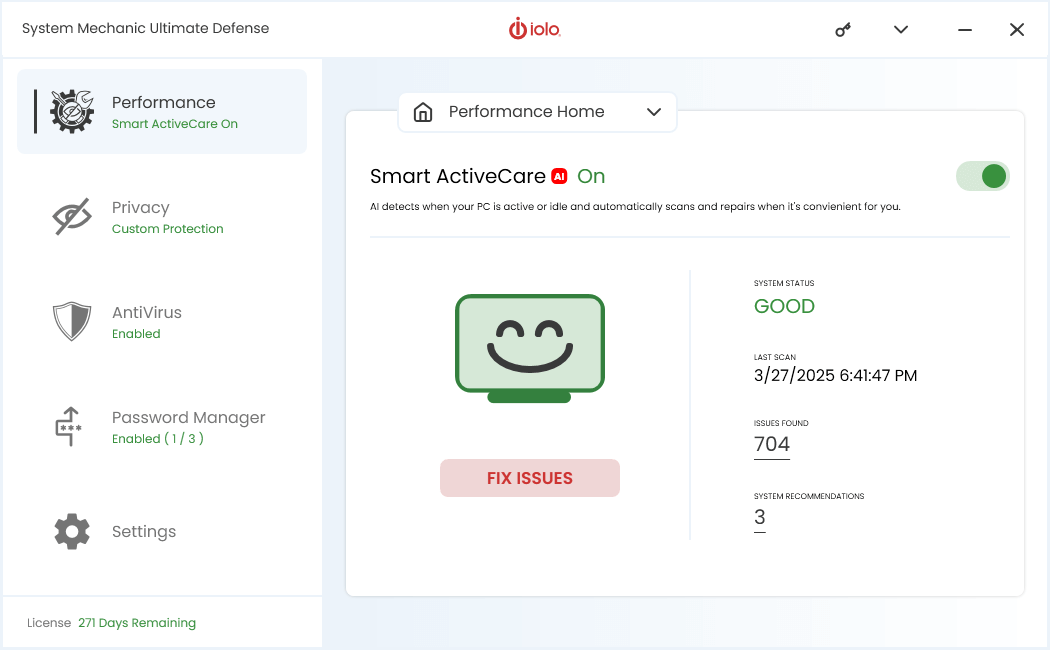
What happens when you turn it off?
When ActiveCare is disabled, System Mechanic will not automatically run maintenance tasks in the background. That means:
- You won’t get automatic scans and fixes when your computer is idle.
- Tasks like registry repair, cleanup of temporary files, defragmentation, and startup optimization will need to be run manually.
- System performance won’t suffer immediately, but over time clutter and small issues may build up more than if ActiveCare were running regularly.
If you choose to turn it off, it’s a good idea to run manual maintenance scans with System Mechanic on a regular schedule to keep your system healthy.
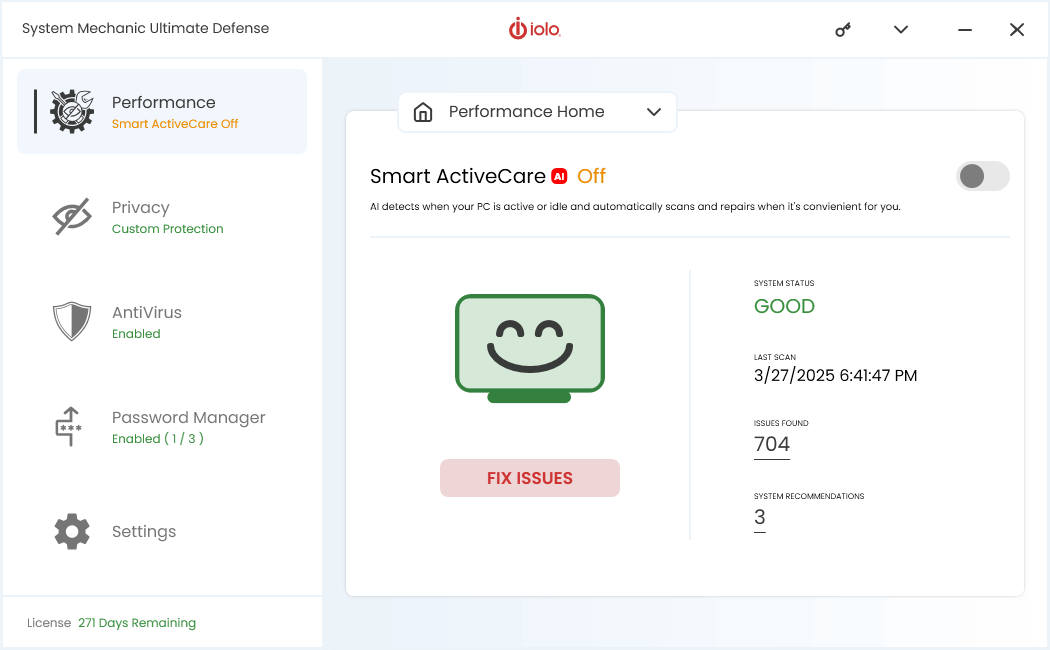
How to enable ActiveCare again
If you change your mind, re-enabling ActiveCare is just as easy. Go back to the main dashboard and flip the switch to ON. System Mechanic will resume automatic maintenance tasks based on your settings.
You can also tailor exactly what ActiveCare does. Within its settings you can enable or disable specific maintenance tasks such as internet junk cleaning, registry repairs, and drive defragmentation. This lets you strike the right balance between automation and control.