Yes — System Mechanic Free is available and can be downloaded directly from iolo as a no-cost PC optimization tool. It’s designed to give users a basic introduction to how System Mechanic works, while helping improve performance on Windows PCs.
The System Mechanic free version focuses on essential cleanup and optimization tasks, making it a good starting point if your computer feels slow or cluttered and you want to try System Mechanic before upgrading.
What Does System Mechanic Free Do?
System Mechanic Free provides limited but useful system maintenance features, including:
- Junk file cleanup to free disk space
- Basic performance optimization tools (3 scans)
- Startup item analysis to help reduce boot times
- Simple system health insights
These tools can help improve responsiveness and stability, especially on older or lightly maintained PCs.
What System Mechanic Free Does Not Include
While helpful, System Mechanic free is intentionally limited and does not include many advanced features found in paid editions, such as:
- Real-time performance monitoring
- Automatic background optimization
- Advanced privacy protection
- Malware and antivirus protection
- Firewall and identity theft safeguards
If you need continuous optimization or security features, a full version is required.
Is System Mechanic Free Safe?
Yes. System Mechanic Free is developed by iolo Technologies, a long-established company in PC optimization and system utilities. It is safe to download and use, provided it’s obtained from the official iolo website.
Where Can I Download System Mechanic Free?
You can download System Mechanic Free from iolo’s official page here: System Mechanic Free
This ensures you receive the legitimate, up-to-date version without bundled third-party software.
System Mechanic Free vs Paid Versions
System Mechanic Free is best for occasional cleanup and testing the software. If you want ongoing performance improvements and protection, consider these paid options:
- System Mechanic – $21.98 – Adds automatic optimization, deeper cleanup, and real-time performance tuning
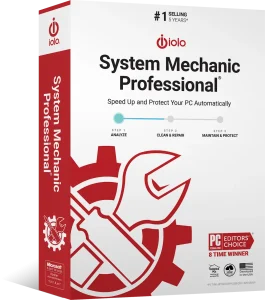
- System Mechanic Pro – $29.98 – Includes enhanced speed tools and privacy features
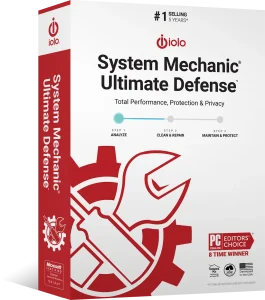
- System Mechanic Ultimate Defense – $33.98 – Combines full optimization with antivirus, firewall, password manager, and identity protection
Each paid version builds on the free edition and is designed for users who want hands-off maintenance and stronger system protection.
- System Mechanic Comparison – Compare all three editions of System Mechanic
If you’d like to see all available savings, check our System Mechanic Discount FAQ for the latest offers. We update it regularly so you never miss a deal.
Should You Use System Mechanic Free?
Use System Mechanic free if you want:
- A no-cost way to clean up a PC
- A trial-like experience before upgrading
- Occasional manual maintenance
Upgrade to a paid version if you want automatic optimization, better security, or long-term performance improvements.
Visit our Deals page and save up to 60% on your purchase.
🔥 Claim Your Discount