Compare System Mechanic to Glary Utilities
Which PC optimization tool is right for you?
Keeping a Windows PC running smoothly means more than clearing junk files once in a while. Performance slowdowns, startup issues, and system clutter build up over time. Tools like System Mechanic and Glary Utilities are designed to address those problems, but they take different approaches.
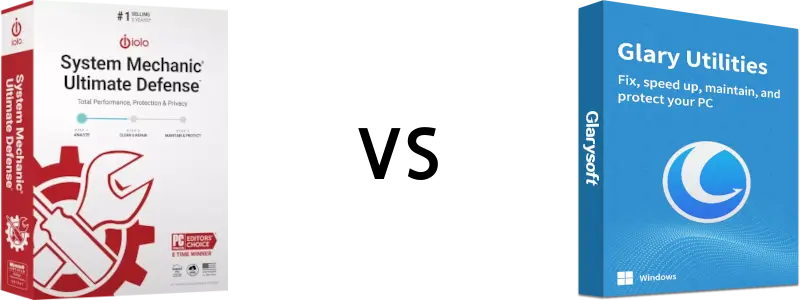
This comparison breaks down how System Mechanic and Glary Utilities stack up, so you can decide which solution fits your needs.
What is System Mechanic?
System Mechanic is an all-in-one PC optimization and maintenance suite from iolo. It’s built to automatically find and fix performance issues that slow down Windows PC over time.
It focuses on:
- Automatic system cleanup and repair
- Real-time performance optimization
- Startup and background process control
- System stability and responsiveness
What is Glary Utilities?
Glary Utilities is a Windows utility suite that offers a collection of tools for cleaning, repairing, and maintaining a PC. It’s available in both a free version and a paid Pro edition.
It focuses on:
- One-click maintenance scans
- Junk file and registry cleanup
- Startup and context-menu management
- A toolbox of individual system utilities
Glary Utilities is often favored by users who prefer manual control and lightweight tools.
System Mechanic vs Glary Utilities Comparison
Take a look into the comparison table below. It shows the differences in System Mechanic Ultimate Defense vs Glary Utilities:
 |
 |
|
|---|---|---|
| Features/Products | System Mechanic Ultimate Defense | Glary Utilities Pro |
| Automatic PC Maintenance | ✓ | |
| Real-time Performance Optimization | ✓ | |
| Junk File Cleanup | ✓ | ✓ |
| Registry Repair | ✓ | ✓ |
| Startup Optimization | ✓ | ✓ |
| Background Process Management | ✓ | |
| Privacy Cleanup (browser data, traces) | ✓ | ✓ |
| Disk Tools | ✓ | ✓ |
| Boosts Internet Speed | ✓ | |
| System Monitoring | ✓ | |
| Typical license coverage | 10 PCs | 3 PCs |
| Full price | $84.95 | $39.95* |
| Current Discounted Price | $33.98 | $39.95 |
| You Save | 60% | n/a |
| Buy Now | More Info |
Performance and Optimization
System Mechanic is designed to run in the background and actively optimize system resources. It identifies unnecessary startup items, reallocates CPU and RAM in real time, and repairs issues automatically.
Glary Utilities takes a more manual approach. While it includes cleanup and repair tools, most actions require the user to run scans and select fixes. This can work well for occasional maintenance, but it doesn’t provide ongoing optimization.
Bottom line:
System Mechanic is better suited for users who want automatic, continuous performance improvements. Glary Utilities is better for manual, occasional cleanup.
Real-Time Optimization
One of the biggest differences between these products is real-time optimization.
System Mechanic continuously monitors system activity and adjusts settings to improve responsiveness and stability as you use your PC.
Glary Utilities does not offer true real-time optimization. Its tools run only when you launch them.
Security and Privacy Tools
System Mechanic includes privacy cleanup tools designed to remove browsing traces and system clutter that can impact performance.
Glary Utilities also offers privacy cleanup features, especially in its Pro edition, but these are generally limited to manual scans rather than ongoing protection.
Ease of Use
System Mechanic is designed to be mostly hands-off. After setup, it runs automatically with minimal user interaction.
Glary Utilities is easy to use but more tool-driven. Users choose when and how to run maintenance tasks, which appeals to those who want control but may feel overwhelming to less technical users.
Pricing and Licensing
System Mechanic is offered as a premium solution with licenses that typically cover multiple PCs, making it a practical option for households with more than one computer.
Glary Utilities offers a free version with basic features and a Pro version licensed per PC, which can become more expensive if you manage several systems.
Pros and Cons
System Mechanic
Pros Automatic, real-time optimization Comprehensive performance tools Minimal manual effort required Multi-PC licensing options Cons- No free version
Glary Utilities
Pros- Free version available
- Lightweight and flexible
- Good collection of manual tools
- No real-time optimization
- More hands-on maintenance required
- Per-PC licensing for Pro version
Which Should You Choose?
If you want a set-it-and-forget-it solution that actively keeps your PC running fast and stable, System Mechanic is the stronger choice.
If you prefer manual control, need a free option, or only perform occasional maintenance, Glary Utilities may be enough.
For users who want consistent performance improvements without constant monitoring, System Mechanic offers a more complete approach to PC optimization.
Here are some additional points when comparing System Mechanic and Glary Utilities:
- A System Mechanic license covers up to 10 PCs in your household. Glary Utilities Pro is licensed for up to 3 PCs only, which can make it less cost-effective for families or users with multiple computers.
- While Glary Utilities offers a free version, it includes limited features and requires manual maintenance. The paid Pro version adds functionality, but System Mechanic’s discounted pricing is often competitive while delivering broader automation and deeper optimization. System Mechanic subscriptions can also be renewed at the discounted rate.
- System Mechanic is designed as a true all-in-one PC performance solution, combining cleanup, repair, optimization, and system monitoring in a single, easy-to-use tool. For users who want comprehensive optimization plus protection features to help keep their PC running smoothly and securely, System Mechanic Ultimate Defense provides the most complete solution.
* All prices are in USD. The CCleaner Pro pricing presented here is the actual pricing at the time of last change of this page. While we do check on that pricing from time to time, we cannot guarantee the accuracy at the time of your visit. The pricing for System Mechanic is always up to date on this website.