System Shield
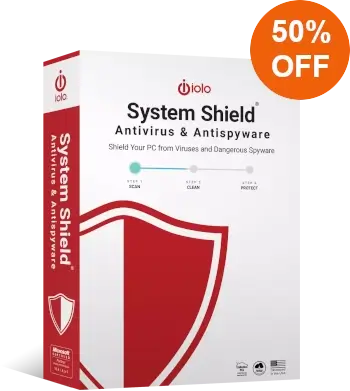
iolo Antivirus & Antispyware
- Real-time protection
- iolo AntiVirus™ & iolo AntiSpyware™
- HyperScan™ Technology
- Sentient Technology™
- License for use on up to 10 of your home PCs
- Works with Windows® 11, 10, 8, 8.1, 7
- Immediate Download
- 30 day money-back guarantee
Save 50%
$44.95 $22.97
Discount promo code applied automatically, no coupon required
Immediate Download Available after Purchase
Pricing in USD for 1-year License
Guard Your PC with iolo Antivirus & Antispyware
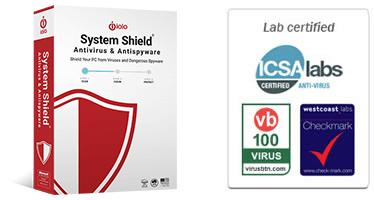
Why You Still Need Antivirus in 2025
Online threats have never moved faster. Malware no longer shows up as an obvious pop-up or a broken web page. It hides in downloads, fake updates, harmless-looking links, and even in ads on trusted sites. Ransomware can lock every file you own in seconds. Spyware can sit quietly in the background and record everything you type. Phishing pages are now almost identical to the real ones. A single mistake can cost days of work, private data, or your identity.
Even with improvements to built-in Windows security, many attacks still slip through. Criminals design new malware to bypass those defenses first because they know most people rely on them alone. If you want real security in 2025, you need a dedicated layer that focuses entirely on stopping threats before they reach your system.
This is where iolo System Shield comes in. It gives you an always-on barrier that blocks viruses, spyware, and emerging threats in real time. It does the job Windows alone cannot handle: identifying dangerous behavior the moment it appears, shutting down suspicious programs, and preventing harmful files from ever running. That extra line of defense is what keeps a normal day online from turning into a crisis.
Whether you use your PC for work, gaming, banking, or daily browsing, iolo antivirus protection adds stability and peace of mind. Cybercriminals keep evolving. Your defenses need to evolve too. System Shield gives you that modern protection without slowing your machine or getting in the way.
What iolo System Shield Does — Core Protection You Can Count On
iolo System Shield focuses on one goal: keep your PC safe without slowing you down. It works quietly in the background, blocks threats in real time, and reacts instantly when something suspicious appears. Most users never need to tweak anything. Install it, keep it running, and it protects you while you work, browse, stream, or game.
Below are the core layers that make iolo System Shield and iolo antivirus reliable in a world where threats change every day.
Real-Time Antivirus and Anti-Spyware Protection
System Shield includes two active components that guard your PC from the moment it starts.
iolo AntiVirus scans files before they run and stops anything that behaves like malware. This covers classic viruses along with today’s more serious problems: trojans, worms, bots, keyloggers, and dangerous scripts that often come hidden inside downloads or email attachments.
iolo AntiSpyware handles the quieter threats. Spyware tries to track what you do, capture keystrokes, collect passwords, or monitor your browsing. Many users do not realize spyware is on their system until damage has already been done. System Shield identifies these programs early and removes them before they can harvest anything sensitive.
Both components work together, update automatically, and stay active even when you forget they exist. You get the kind of protection that feels invisible but delivers real security every minute your PC is on.
Intelligent Threat Detection with HyperScan and Sentient Technology
Malware today does not stay the same for long. Attackers constantly change code and behavior to slip past defenses. To keep up, System Shield uses two smart detection layers that look deeper than simple virus signatures.
HyperScan Technology performs fast, continuous monitoring to catch threats instantly. It watches the system while you use it and reacts the moment it sees activity that could be dangerous. This protects you from threats that appear suddenly, like drive-by downloads or infected files from removable devices.
Sentient Technology uses behavior-based analysis to spot suspicious actions even when the malware is new or unlisted. If a program tries to modify system settings, escalate permissions, or access sensitive data in a way that looks risky, Sentient Technology steps in and blocks it. This gives you protection against zero-day attacks, mutated malware, and anything built to avoid traditional detection.
Together, these systems provide active, adaptive defense. Where older antivirus tools rely on chasing known threats, System Shield focuses on recognizing danger the moment it appears.
Buy System Shield Today – Save 50%
Low System Impact and a Smooth Windows Experience
Many antivirus tools feel heavy. They scan at the wrong time, slow down games, interrupt video calls, or add lag to everyday work. System Shield was built to avoid that.
Its scanning engine uses minimal CPU and memory, which keeps your PC responsive even during active protection. You can edit videos, play modern games, or run demanding apps without constant interruptions. Most checks happen silently and in short bursts so your system never drags.
This is especially helpful for laptops and older hardware. Instead of draining performance, System Shield stays efficient and keeps your PC feeling fast.
Simple to Install, Easy to Forget
Security should not be complicated. System Shield takes care of the technical side so you do not have to.
Installation is straightforward. Once installed, it enables real-time protection automatically and updates itself without asking you to approve new definitions or schedule tasks. The default settings are enough for most users, so you do not need to manage long menus or pick advanced options just to feel safe.
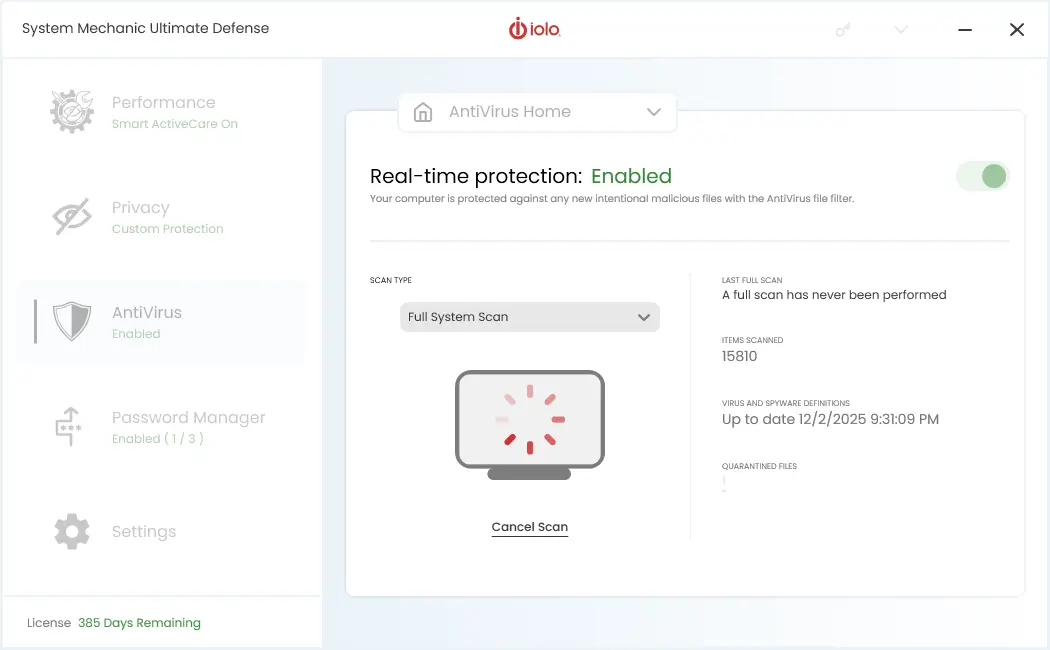
If you ever want to check your status, a clean dashboard shows your protection level, update history, and scan options. Nothing feels buried or confusing. It is a tool that respects your time and stays out of your way.
Always-Up-to-Date Protection
New malware appears every day. That is why System Shield keeps its detection rules updated in the background. It checks for fresh definitions regularly and installs them as soon as they are available.
This means you stay protected against the newest threats without having to click anything. No slow patch cycles. No long update downloads. Just steady, automatic improvement that keeps your system secure.
Designed for Real Windows Users
System Shield is built for everyday life on a Windows PC. Whether you handle sensitive work documents, store personal photos, manage online banking, or simply browse social media, you get consistent protection that does not need babysitting.
You can treat it like part of the system itself. Once installed, it works in the background to keep your machine safer than Windows alone can provide.
What System Shield Doesn’t Do — Clear Expectations, Stronger Trust
Security tools work best when you know exactly what they cover. iolo System Shield focuses on delivering strong, real-time protection against malware and spyware. It does this well, and it does it without adding weight, clutter, or unnecessary features.
To keep expectations honest, here is what System Shield does not include. This clarity helps users choose the right product for their needs, and it avoids the frustration that comes from assuming an antivirus program will do everything.
No Built-In Firewall
System Shield stops threats at the file and behavior level, but it does not include a network firewall. Windows already provides a solid built-in firewall that handles inbound and outbound traffic for most users. If you want tighter control over network permissions or advanced rule management, the best option is to rely on Windows’ own firewall tools and adjust their settings to match your needs.
No VPN or Secure Browsing Tools
A VPN encrypts your internet connection and hides your IP address. It is useful for public Wi-Fi, privacy, and bypassing geographic restrictions. System Shield does not include one.
It also does not provide browser extensions for phishing protection, anti-tracking, or safe-shopping tools. If those features matter to you, look at the ioloVPN, which includes VPN features built for privacy and secure browsing.
No Password Manager or Identity Monitoring
Some security suites handle everything from password storage to dark-web alerts. System Shield keeps things simple. It focuses strictly on malware prevention and system defense. Passwords, identity protection, and credit monitoring are not part of this product.
This is part of its appeal: fewer moving parts mean a lighter, cleaner experience. But if you want an all-in-one solution, iolo offers other options that combine antivirus with privacy and identity tools. And for that purpose, take a look into System Mechanic Ultimate Defense.
No System Tune-Up or Performance Utilities
System Shield protects, but it does not optimize. That means no disk cleanup, startup management, registry repair, or performance tuning. Those features are central to products of System Mechanic family.
For many users, this separation is a benefit. You get a focused antivirus tool that does not touch anything else on your system. But if you want antivirus plus PC optimization in one package, an upgrade makes more sense.
Not a Replacement for Good Digital Habits
Even the strongest antivirus cannot stop every possible human mistake. System Shield reduces risk, but it cannot prevent someone from entering a password on a fake site, clicking a convincing phishing email, or installing a dangerous app on purpose.
Good habits still matter:
- Keep Windows updated.
- Avoid unknown downloads.
- Check email senders carefully.
- Use strong, unique passwords.
System Shield supports a safer experience, but no tool replaces common sense.
Why These Limits Matter
Clear boundaries show why iolo System Shield fits users who want reliable antivirus and anti-spyware protection without the extra cost or complexity of full security suites. It keeps the product light, fast, and focused on the threats that matter most.
If you ever decide you want firewall control, a VPN, privacy tools, or system optimization, you can upgrade within the iolo family without switching brands or learning a new interface.
How System Shield Compares to Other iolo Products
System Shield is part of a larger ecosystem. iolo builds a full lineup of security and performance tools, and each one serves a different type of user. Knowing where System Shield fits helps people choose the right product the first time instead of buying more than they need.
System Shield vs. System Mechanic
System Shield focuses on one job: protect your PC from malware, spyware, and other harmful programs. It keeps things simple, light, and straightforward.
System Mechanic, on the other hand, is all about performance. It removes clutter, boosts startup speed, fixes system issues, and keeps Windows running smoothly. Some people pair System Shield with System Mechanic because the two complement each other. One handles security. The other handles speed and stability.
If you want antivirus protection only, System Shield is enough. If your PC feels slow or bloated, System Mechanic adds value.
System Shield vs. System Mechanic Pro
System Mechanic Pro bundles performance tools and security in one package. It includes the features of System Mechanic plus System Shield’s antivirus and anti-spyware capabilities.
Think of it as an “everything you need for your PC” option. You get:
- optimization tools
- repairs
- real-time antivirus protection
- malware removal
- anti-spyware defense
If you want both speed and security without installing two separate products, System Mechanic Pro makes sense. If you prefer a lighter footprint or simply want strong malware protection without extra features, System Shield stays the cleaner choice.
System Shield vs. System Mechanic Ultimate Defense
System Mechanic Ultimate Defense is the full suite. It includes everything from System Mechanic Pro plus a set of advanced privacy and protection tools. This version is built for people who want a complete digital defense system.
Ultimate Defense adds:
- a password manager
- secure browsing and anti-tracking tools
- enhanced privacy features
- deeper identity protection
- secure file deletion
- additional data shielding
This bundle works for users who want to cover every angle: malware, identity theft, password security, privacy, performance, and browsing protection. If you manage sensitive information, share a family PC, or work from home, Ultimate Defense delivers more long-term value.
Which One Should You Choose?
Here is a simple breakdown.
Choose System Shield if you want:
- real-time antivirus
- anti-spyware protection
- low system impact
- a focused, affordable solution
- zero clutter
Choose System Mechanic Pro if you want:
- antivirus
- system speed and repair tools
- a balanced all-in-one combo
Choose Ultimate Defense if you want:
- antivirus
- optimization
- privacy tools
- password management
- identity protection
- the broadest coverage iolo offers
Why This Comparison Matters
People often buy more than they need because product pages skip these distinctions. By being upfront, you help users choose confidently. It also builds trust, which matters in security products more than anything else.
System Shield remains tough to beat if you want focused, reliable antivirus protection. The other packages simply expand the ecosystem to match more complex needs.
Licensing, Pricing, and Guarantee
Security software should be easy to understand. No hidden rules. No confusing device limits. No surprise renewals. System Shield keeps things simple so you know exactly what you’re paying for and what you’re protected against.
Straightforward Licensing
iolo System Shield uses a standard annual subscription. You install it on your Windows PC, activate it once, and the protection stays active for the duration of your subscription. Updates continue automatically, so your antivirus engine and threat definitions stay current without any extra work on your part.
If you are comparing options, keep this in mind: System Shield is built for people who want strong malware protection without paying for large, bundled tools they will never use. Its license reflects that. You pay only for focused, real security.
What Your Subscription Includes
Every active subscription comes with:
- Real-time antivirus and anti-spyware protection
- HyperScan and Sentient Technology for behavior-based threat detection
- Continuous updates to keep the software aligned with new malware trends
- Automatic definition refreshes delivered quietly in the background
- Access to support if you ever run into installation or activation issues
There are no feature tiers and no locked tools. Once you activate System Shield, you get the full protection package.
Renewal Made Simple
When your subscription is close to expiring, you get a notice so you can renew without losing protection. You can set up automatic renewal or handle it manually — whatever fits your style.
If you ever decide to pause or stop your subscription, you can do so without hassle. There are no penalties or complicated steps. System Shield is meant to support you, not trap you.
Upgrading to Other iolo Products
Some users eventually want more than just antivirus protection. Maybe you want to clean up an older machine, manage startup programs, or boost everyday performance. In those cases, you can move to one of iolo’s other products.
Upgrading is optional. Your System Shield subscription remains valid as is. If you choose to expand, you simply pick the product that matches your needs and activate it. No uninstalling. No friction.
30-Day Money-Back Guarantee
Every purchase is protected by a 30-day money-back guarantee. If System Shield is not the right fit, or if your PC does not feel as smooth as you expected, you can request a refund within that window. No pressure. No arguments.
This guarantee gives new users a stress-free way to try the software, run a few scans, and see how it fits into their daily routine.
Why This Matters
Security tools should be built on trust. Clear pricing, transparent licensing, and a fair refund policy make that possible. System Shield is not a complicated purchase. You get strong, real-time protection for your PC, automatic updates, and a clean experience at a reasonable price.
And if it does not feel right, you are free to walk away.
Getting Started — Quick Setup and Smooth First Steps
System Shield is designed to be simple from the moment you install it. You do not need technical experience, and you do not have to dig through complicated menus just to feel protected. A few quick steps are enough to get your security in place.
Download and Installation
Start by downloading the installer from your iolo account or purchase confirmation email. Once the file is on your PC, run it and follow the on-screen instructions. The setup process is short, and you will not be asked to make complex security choices. The software applies smart defaults that work for most users.
When installation finishes, System Shield activates its real-time protection immediately. From that point on, it runs silently in the background.
First Scan
After installation, it is a good idea to run an initial scan. This checks your system for any existing malware that might have gone unnoticed before you installed System Shield.
The first scan helps in three ways:
- It confirms your system is clean.
- It removes anything dangerous that was already there.
- It gives System Shield a baseline to monitor from going forward.
Most scans run quickly, and you can keep using your PC while they complete.
Automatic Updates
System Shield handles updates on its own. It checks for new definitions regularly, downloads them quietly, and applies them in the background. You do not need to click anything, and you will not see pop-ups unless something actually needs your attention.
This means your PC stays protected from new threats without breaking your workflow.
Real-Time Protection
Once active, System Shield monitors your PC continuously. It checks new files, watches background activity, and blocks anything that behaves suspiciously. You do not have to schedule scans or keep track of settings. The protection happens automatically.
If a threat is detected, the software alerts you and removes the problem, then logs what happened so you can review it later if you want.
Minimal Management
The interface is clean and uncomplicated. You can start scans, check your status, or review recent activity with a few clicks. Most users rarely need to open the dashboard once everything is running.
For people who prefer to fine-tune things, advanced options are available, but they never get in the way. The design stays focused on clarity over complexity.
Where to Go for Help
If you ever need assistance with installation, activation, or settings, iolo’s support team is available to help. You can reach them through:
- your iolo account
- the support section inside the app
- the company’s help portal
Whether you are a first-time user or someone upgrading from an older version, guidance is always a message away.
A Smooth Start for Any Windows User
The goal is simple: make real security as easy as possible. System Shield takes care of the heavy lifting so you can focus on using your PC the way you want. With quick installation, automated updates, and real-time protection, your system stays secure without slowing down or requiring constant attention.
Protect Your PC with Confidence
Security should feel simple. When malware, spyware, or ransomware is always evolving, you need protection that stays sharp without slowing everything down. iolo System Shield gives you exactly that: real-time defense that works quietly, updates automatically, and keeps your Windows PC safe while you focus on what matters.
If you want dependable antivirus protection, minimal system impact, and a clean interface without unnecessary extras, System Shield is a strong fit. It blocks threats before they take hold, recognizes suspicious behavior instantly, and stays out of your way while you work, game, shop, or browse.
You get a focused tool, backed by years of development, and supported by a 30-day money-back guarantee. No pressure. No complications. Just reliable security you can trust every day.
Get System Shield Today – Save 50%