DriveScrubber

Permanently Erase Disk Data
- Secure, Fast & Optimized Wipe Methods
- Includes Scalable Options
- Customizable Tools
- Military-grade Data Removal
- License for use on up to 10 of your home PCs
- Works with Windows® 11, 10, 8, 8.1, 7
- Immediate Download
- 30 day money-back guarantee
Save 57%
$34.95 $14.95
Discount promo code applied automatically, no coupon required
Immediate Download Available after Purchase
Pricing in USD for 1-year License
Leave No Trace with DriveScrubber
Getting rid of the files that you no longer need or don’t want anyone to see seems simple enough. All you have to do is delete them, is it not? Well, not exactly. Not everyone knows that deleting files doesn’t mean that they’re gone for good.
Virtually every file you delete is recoverable. Even if you go beyond the ‘delete’ options, there’s a high chance that the file still exists somewhere, even if you can’t see it.
Even though this might not turn into a big issue, there’s always a chance that your data might get misused. Luckily, there’s a solution that will ensure this never happens.
What is DriveScrubber?
DriveScrubber is iolo’s solution for permanently deleting the files that you want to get rid of. Unlike the built-in Windows solution, as well as many other programs out there, DriveScrubber guarantees that your files can never be restored once you delete them.
There are many reasons why this is important. Let’s go over some of them.
Buy DriveScrubber for $14.95 – Save 57%
Why Should You Use DriveScrubber?
Everyone should be aware of the importance of PC security. Even if you don’t really have anything to hide, you wouldn’t want someone else to intrude on your privacy.

Let’s say you want to sell your PC. Unless you’re selling it to the person you trust, you never know what might happen to the data stored in the hard drive. As mentioned, deleting files using the common options isn’t enough to make your files disappear. In fact, the files might still be recoverable if you format the drive. This is why you’ll want to make sure that there’s nothing on your PC that someone might recover and use for the wrong purposes.
Another obvious reason why you should protect yourself are external attacks. Aside from just the visible files on your device, attackers can access your deleted data. This can lead to a serious invasion of your privacy, and you risk having your important information stolen.
The best way to prevent all of this is to destroy the files for good. DriveScrubber can make this happens, thanks to a variety of useful features.
Why is it Good?
You can find many programs that promise to delete your files for good. Unfortunately, not all of them can keep that promise. Some of them simply mask the information you want deleted to make it look as if it’s gone for good. Worse, there are scam software packages that actually collect your information instead of deleting it as promised.
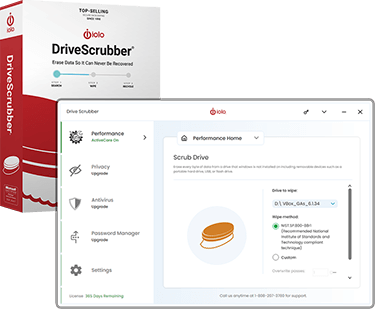
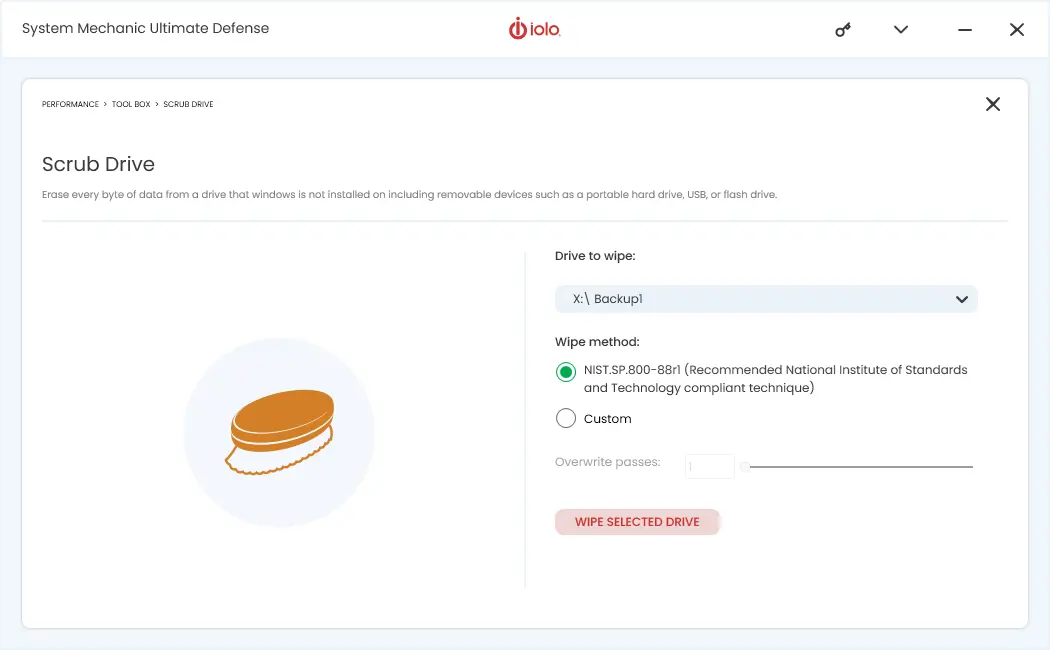
iolo’s DriveScrubber is a file-deletion utility that works on more than hard drives. You can also use it to wipe USB drives and rewritable DVDs and CDs. DriveScrubber can format an entire drive or you can set it to scrubbing hidden files, temporary files, previous app versions, and even deleted files.
Here’s how DriveScrubber stands out from the crowd:
Ironclad Security
As most people aren’t familiar with PC security, distinguishing the truly secure drive-scrubbing methods from the weak ones might be a complex task. Many companies take advantage of that and throw in a bunch of complex terms that don’t really mean anything. iolo ensures that this isn’t the case with their solution. DriveScrubber uses wiping methods previously employed by the US Department of Defense.
Customization Options
To ensure complete control of the wiping process, DriveScrubber features multiple customization options that you can use to take full advantage of the software. There are different levels of security for cleaning the drive and they are adjustable, which means you can choose the wiping strength. You can go from a quick clean, to an electron microscopy, and even magnetic field residue detection shields. This latter will let you permanently wipe the drive in the true sense of the term, without having to worry about the data being recovered.
Scalable Options
Another thing that makes DriveScrubber great is the ease of use and multiple options that are easy to understand. The user-friendly interface ensures that pretty much everyone can use this program, even if they don’t have strong computer skills. Aside from this, additional options allow for a batch-wipe, which allows you to clear multiple drives at once. You can also pause and resume the process as you please.
Great Speed
Even if you manage to find a good program that is capable of wiping the contents of your PC permanently, there’s a high chance that it will take a long time to do it. It might take hours, even days before your files are gone for good. In contrast, DriveScrubber eliminates such waiting. Its wiping methods are optimized for a variety of PCs, and the military-grade technology offers a much faster scrubbing speed than virtually all solutions out there.
Compatibility
Since iolo is a certified Microsoft partner, the company made sure that its software works on virtually all relevant Windows versions, including the Vista and XP (SP3), for which even Microsoft has stopped rolling out updates. DriveScrubber can be a perfect solution if you want to wipe your old PC. In addition, DriveScrubber lets you wipe the data on drives that have been damaged by viruses or spyware. You can wipe them clean easily, and alternatively, you can even restore them so that they’re as good as new.
Do a Secure Data Wiping
From what you’ve seen here, DriveScrubber stands out as a reliable way to permanently remove unwanted data. Its strong security layers make sure sensitive information stays out of reach and can’t be recovered.
iolo has been working in PC performance and security since 1998, and its tools are used worldwide. The company has earned a solid reputation for building software that’s both effective and easy to use.
You can try DriveScrubber risk-free and decide if it fits your needs. iolo offers a 30-day money-back guarantee, giving you time to explore its features. If you choose to keep using it, you can extend coverage to all your home PCs. DriveScrubber is also included in the System Mechanic Ultimate Defense all-in-one package, which is currently available at 60% off.