TotalGuard 360 Bundle
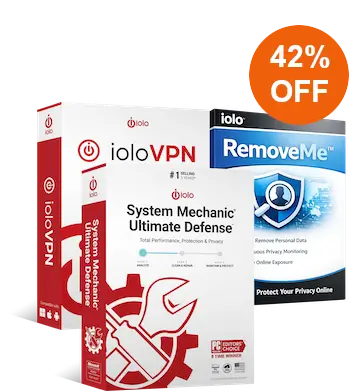
Complete PC Performance, Security & Online Privacy
- Includes System Mechanic Ultimate Defense, ioloVPN, and RemoveMe
- Optimize PC speed, performance, and stability
- Block viruses, malware, spyware, and other online threats
- Protect passwords and strengthen your online privacy
- Encrypt your internet connection and hide your IP address with ioloVPN
- Remove personal information from data broker and people-search sites
- Monitor for personal data that reappears online
- Access 24/7 LiveTech technical support
- 30-day money-back guarantee
Save 42%
$274.77 $159.97
Discount promo code applied automatically, no coupon required
Immediate Download Available after Purchase
Pricing in USD for 1-year License
Why Choose iolo TotalGuard 360?
iolo TotalGuard 360 combines PC performance, cybersecurity, online privacy, and personal data protection in one comprehensive bundle. Instead of relying on separate tools for different parts of your digital life, you get three iolo products designed to work together: System Mechanic Ultimate Defense, ioloVPN, and RemoveMe.
System Mechanic Ultimate Defense helps optimize and protect your Windows PCs. ioloVPN encrypts your internet connection and helps keep your browsing private. RemoveMe finds personal information exposed through data brokers and helps get it removed.
Together, these tools provide protection across several important areas, from your computer and internet connection to your passwords and personal information online. For users looking for a more complete total guard approach, the bundle puts performance, security, and privacy tools together under one subscription.
What Is Included in the iolo TotalGuard 360 Bundle?
TotalGuard 360 Bundle combines three powerful iolo products, each designed to protect a different part of your digital life. You get tools for PC optimization and security, private internet access, and ongoing personal data removal.
System Mechanic Ultimate Defense
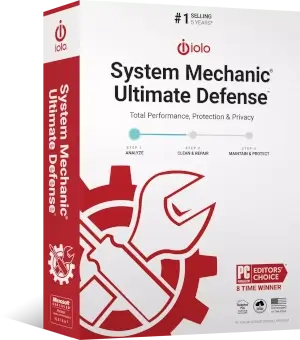
System Mechanic Ultimate Defense is the performance and security foundation of TotalGuard 360. It combines PC optimization, automated maintenance, antivirus protection, online privacy tools, password management, malware removal, file recovery, and drive protection.
- Optimize PC speed and responsiveness
- Clean junk files and unnecessary system clutter
- Automatically detect and repair common PC problems
- Block viruses, malware, ransomware, and other threats
- Protect your online privacy
- Secure and manage passwords
- Recover accidentally deleted files
- Permanently erase sensitive files and drive data
- Protect up to 10 home PCs
⏵ Learn more about System Mechanic Ultimate Defense
ioloVPN
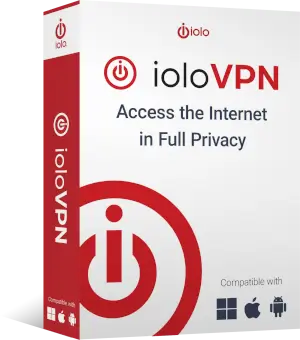
ioloVPN adds another layer of privacy by protecting your internet connection. It routes your traffic through an encrypted VPN connection, helping hide your IP address and making it harder for third parties to monitor your online activity.
- Encrypt your internet connection
- Hide your real IP address
- Browse with a no-logs VPN service
- Protect your connection on public Wi-Fi
- Connect through a worldwide network of VPN servers
- Enjoy unlimited bandwidth
- Protect up to 5 devices
- Works with Windows, macOS, Android, and iOS
RemoveMe

RemoveMe helps reduce the amount of personal information available through data brokers, people-search websites, and online databases. It finds exposed information, submits removal requests, tracks progress, and continues monitoring for data that may reappear.
- Scan more than 200 data sites for exposed information
- Cover 115 major data broker and people-search sites for removal
- Submit removal and opt-out requests automatically
- Track exposures and removals from one dashboard
- Monitor for personal information that reappears
- Help reduce unwanted exposure to spam, scams, and robocalls
- Save time compared with handling individual opt-out requests yourself
⏵ Buy TotalGuard 360 now for $159.97
More Than Antivirus Protection
Antivirus software is an important part of PC security, but your digital life extends far beyond the files stored on your computer. Your internet connection, passwords, browsing activity, and personal information can also affect your privacy and security.
iolo TotalGuard 360 addresses these different areas with multiple layers of protection. Each product in the bundle has a specific role, giving you broader coverage than a standalone antivirus program.
Protect Your PC
Optimize performance, clean unnecessary files, repair common problems, and use real-time protection against viruses and malware with System Mechanic Ultimate Defense.
Protect Your Internet Connection
Encrypt internet traffic and hide your IP address with ioloVPN, whether you are browsing at home, traveling, or connecting through public Wi-Fi.
Protect Your Passwords and Privacy
Manage passwords securely and use privacy tools that help reduce unwanted tracking and exposure while you browse.
Reduce Your Personal Data Exposure
Use RemoveMe to find personal information listed by data brokers, submit removal requests, and keep monitoring for information that returns.
Optimize and Protect Your PC
At the heart of TotalGuard 360 is System Mechanic Ultimate Defense. It combines iolo's PC performance technology with security and privacy tools to help keep your computers fast, stable, and protected.
Speed Up a Slow PC
Over time, unnecessary files, background processes, and system problems can affect PC performance. System Mechanic Ultimate Defense identifies common causes of slowdown and provides tools to clean, optimize, and improve system responsiveness.
Automatically Repair Common PC Problems
Automated PC care helps handle routine maintenance for you. System Mechanic can detect and repair many common issues while helping reduce unnecessary resource use and keeping your system running efficiently.
Block Viruses and Malware
Real-time antivirus and malware protection helps defend your PC against viruses, ransomware, spyware, and other malicious threats. Security tools work alongside the performance features, giving you protection without needing a separate basic antivirus product.
Secure Your Passwords and Private Information
Password management tools help you securely store and manage login credentials. Privacy features can also help reduce unwanted tracking and give you more control over information shared while browsing.
Recover or Permanently Delete Files
Accidentally deleted an important document or photo? File recovery tools can help restore lost files. When you want information gone for good, secure deletion tools help permanently erase sensitive files and drive data.
Browse Privately with ioloVPN
Connecting to the internet can expose information such as your IP address and approximate location. ioloVPN creates an encrypted connection between your device and the internet, adding an important privacy layer whenever you go online.
Encrypt Your Internet Traffic
ioloVPN routes your online traffic through an encrypted VPN tunnel. This makes your connection more private and helps protect information traveling between your device and the internet.
Hide Your IP Address
Your IP address can reveal information about your location and internet connection. ioloVPN replaces it with the IP address of the VPN server you connect to, helping reduce your online exposure.
Stay Safer on Public Wi-Fi
Public Wi-Fi in hotels, airports, cafés, and other shared spaces can present additional privacy risks. Using an encrypted VPN connection helps protect your traffic when you connect to networks you do not control.
Browse with a No-Logs VPN
ioloVPN follows a no-logs policy for personal browsing activity. That means the service is designed to provide private internet access without keeping a record of the websites you visit through the VPN.
Protect Multiple Devices
One ioloVPN subscription can cover up to 5 devices. Use it on compatible Windows and macOS computers, as well as Android and iOS phones and tablets.
Take Back Control of Your Personal Data
A VPN helps protect your internet connection and browsing activity, but personal information about you may already be available online. Data brokers and people-search websites collect information from many sources and can use it to create detailed personal profiles.
RemoveMe tackles this different side of online privacy. It looks for your information, handles removal requests, and monitors covered sites for information that returns.
Discover Exposed Personal Information
RemoveMe scans data broker sites, people-search services, and online databases to identify places where personal information may be exposed. This can include details such as your address, phone number, age, relatives, and other identifying information.
Submit Removal Requests
Removing information manually often means finding each broker's opt-out process and submitting separate requests. RemoveMe streamlines this work by submitting removal requests on your behalf for supported sites.
Track Removal Progress
A central dashboard lets you follow the process. See where information has been discovered, which removal requests are in progress, and which removals have been completed.
Keep Monitoring for Data That Reappears
Removing personal information once may not be enough. Data brokers continuously collect new information, and previously removed records can reappear. RemoveMe provides ongoing monitoring and re-removal to help keep covered information off supported sites.
⏵ Buy TotalGuard 360 now for $159.97
Three Layers of Protection in One Bundle
Each TotalGuard 360 product protects a different part of your digital life. Together, they provide a more complete approach to performance, security, and privacy.
| Performance & Security | Connection Privacy | Personal Data Privacy |
|---|---|---|
| System Mechanic Ultimate Defense | ioloVPN | RemoveMe |
| Optimize PC performance | Encrypt internet traffic | Find exposed personal data |
| Block viruses and malware | Hide your IP address | Submit removal requests |
| Manage passwords | Protect public Wi-Fi connections | Track removal progress |
| Improve privacy and PC stability | Browse with a no-logs VPN | Monitor for re-exposed data |
This layered approach is what makes iolo TotalGuard 360 different from a single-purpose security product. Your PC, internet connection, and personal information each face different risks, so the bundle provides specialized tools for each area.
24/7 Expert Technical Support
Technology problems are not always limited to security software. That's why TotalGuard 360 also provides access to LiveTech technical support, with real people available around the clock.
Get help with PCs, phones, tablets, printers, and other common technology issues. Support is available by phone, chat, or email, so expert assistance is there when you need it.
LiveTech availability, introductory periods, renewal pricing, and other support terms depend on the current TotalGuard 360 offer. Review the offer details at checkout before purchasing.
Why Choose the TotalGuard 360 Bundle?
All-in-One Protection
Get PC optimization, antivirus protection, password management, VPN privacy, personal data removal, and ongoing monitoring in one package.
Fewer Products to Manage
Instead of shopping for several unrelated solutions, TotalGuard 360 brings key performance, security, and privacy tools together.
Protect More Than Your PC
Extend protection beyond your computer to your internet connection, mobile devices, online accounts, and personal information exposed on the web.
Easy-to-Use Tools
The included products are designed to simplify everyday PC maintenance, security, VPN protection, and personal data removal.
Ongoing Protection
Real-time security, VPN access, automated PC maintenance, and continuous data monitoring help provide protection beyond a one-time scan or cleanup.
Expert Support
Access 24/7 technical assistance when you need help with common computer, mobile, printer, and other technology problems.
TotalGuard 360 Protection at a Glance
System Mechanic Ultimate Defense, ioloVPN, and RemoveMe
Covered by System Mechanic Ultimate Defense
Protected with ioloVPN
Covered for personal data removal
Access to LiveTech technical support
Performance, security, and privacy protection
Who Is iolo TotalGuard 360 For?
iolo TotalGuard 360 is designed for people who want broader digital protection without managing several unrelated products and services.
It can be especially useful for:
- Families with several Windows PCs to maintain and protect
- People who shop, bank, or manage sensitive accounts online
- Users who frequently connect to public Wi-Fi
- People concerned about online tracking and browsing privacy
- Anyone whose personal information appears on data broker or people-search sites
- Users who want PC optimization and cybersecurity in one package
- People who want help managing passwords securely
- Anyone who prefers one bundle instead of several separate subscriptions
It provides a practical total guard solution for users who want to protect their computer, internet connection, and personal information while also keeping their PC running smoothly.
How Does TotalGuard 360 Work?
TotalGuard 360 combines several types of protection, but getting started is straightforward. Each product takes care of a different part of your digital life.
1. Optimize and Protect Your PC
Install System Mechanic Ultimate Defense on your Windows PCs. Use its optimization, automated maintenance, antivirus, privacy, and password management tools to improve performance and strengthen security.
2. Connect Securely
Use ioloVPN when browsing, shopping, banking, streaming, traveling, or connecting to public networks. Your connection is encrypted and your real IP address is hidden behind the VPN server.
3. Find and Remove Exposed Data
Set up RemoveMe to scan supported data broker and people-search sites for personal information. It submits removal requests and lets you track their progress.
4. Stay Protected
Keep your security tools active, use ioloVPN when you want a private connection, and let RemoveMe continue monitoring for personal information that reappears online.
⏵ Buy TotalGuard 360 now for $159.97
One Bundle Instead of Multiple Separate Solutions
Building similar protection with separate products could mean managing different subscriptions for PC optimization, antivirus, password management, VPN protection, and data broker removal. TotalGuard 360 brings these functions together in one bundle.
| Feature | iolo TotalGuard 360 |
|---|---|
| PC optimization | ✓ Included |
| Automated PC maintenance | ✓ Included |
| Antivirus and malware protection | ✓ Included |
| Password management | ✓ Included |
| Online privacy tools | ✓ Included |
| VPN protection | ✓ Included |
| Personal data removal | ✓ Included |
| Ongoing data broker monitoring | ✓ Included |
| Technical support | ✓ Included with applicable offer terms |
iolo TotalGuard 360 FAQs
What Is iolo TotalGuard 360?
iolo TotalGuard 360 is a performance, security, and privacy bundle from iolo. It combines System Mechanic Ultimate Defense, ioloVPN, and RemoveMe, along with access to LiveTech technical support under the applicable offer terms.
Together, the included products help optimize and protect your PCs, secure your internet connection, manage passwords, and reduce personal information exposed through data broker sites.
What Is Included in the TotalGuard 360 Bundle?
TotalGuard 360 includes System Mechanic Ultimate Defense, ioloVPN, and RemoveMe. The bundle also includes access to LiveTech technical support according to the terms of the current offer.
Is TotalGuard 360 an Antivirus?
Yes, antivirus protection is included through System Mechanic Ultimate Defense. It provides real-time virus and malware protection while also adding PC optimization, privacy, password management, file recovery, and other maintenance tools.
TotalGuard 360 goes beyond antivirus by also including ioloVPN for encrypted internet access and RemoveMe for personal data removal and monitoring.
Does TotalGuard 360 Include a VPN?
Yes. ioloVPN is included with TotalGuard 360. It encrypts your internet connection, hides your real IP address, follows a no-logs policy, and can protect up to 5 compatible devices.
Does TotalGuard 360 Remove My Personal Information from the Internet?
TotalGuard 360 includes RemoveMe, which scans online sources for exposed personal information and handles removal requests across supported data broker and people-search sites.
RemoveMe also provides ongoing monitoring. If covered personal information reappears, the service can initiate the removal process again.
How Many Devices Does TotalGuard 360 Cover?
Device limits depend on the individual product. System Mechanic Ultimate Defense covers up to 10 home PCs, while ioloVPN can protect up to 5 devices.
RemoveMe is a personal data removal service rather than software installed on each of your devices, so its coverage works differently.
What Is the Difference Between TotalGuard 360 and System Mechanic Ultimate Defense?
System Mechanic Ultimate Defense provides PC optimization, antivirus and malware protection, privacy features, password management, file recovery, and other Windows maintenance tools.
TotalGuard 360 includes System Mechanic Ultimate Defense and adds two separate services: ioloVPN for encrypted internet access and RemoveMe for personal data broker removal and monitoring. This gives TotalGuard 360 broader protection beyond the PC itself.
Do I Need to Use All Three TotalGuard 360 Products?
Each product serves a different purpose, so you can use them according to your needs. System Mechanic Ultimate Defense handles PC maintenance and security, ioloVPN protects your internet connection, and RemoveMe helps reduce personal information exposed through data brokers.
Using all three provides the broadest protection offered by the bundle.
Does TotalGuard 360 Include Technical Support?
TotalGuard 360 offers access to 24/7 LiveTech technical support. Support can assist with common issues involving PCs, phones, tablets, printers, and other devices.
LiveTech trial periods, billing, renewals, and other conditions may vary by offer. Review the current checkout terms for complete details before purchasing.
Does iolo TotalGuard 360 Automatically Renew?
The products and services included with TotalGuard 360 may be sold with automatic renewal. Renewal periods and prices can differ between System Mechanic Ultimate Defense, ioloVPN, RemoveMe, and LiveTech support.
Check the Offer Details shown during checkout for the current renewal dates, prices, cancellation terms, and other subscription information.
Does TotalGuard 360 Have a Money-Back Guarantee?
The current iolo TotalGuard 360 offer includes a 30-day money-back guarantee. Review the applicable purchase and refund terms when ordering for complete details.
Get Complete Protection with iolo TotalGuard 360
Your digital life involves more than just your computer. It includes your internet connection, passwords, online accounts, and personal information stored and shared across the web.
iolo TotalGuard 360 Bundle brings together PC optimization, antivirus and malware protection, password management, VPN privacy, and personal data removal in one comprehensive package.
Keep your PCs running smoothly, browse with greater privacy, and take more control over the personal information available about you online.