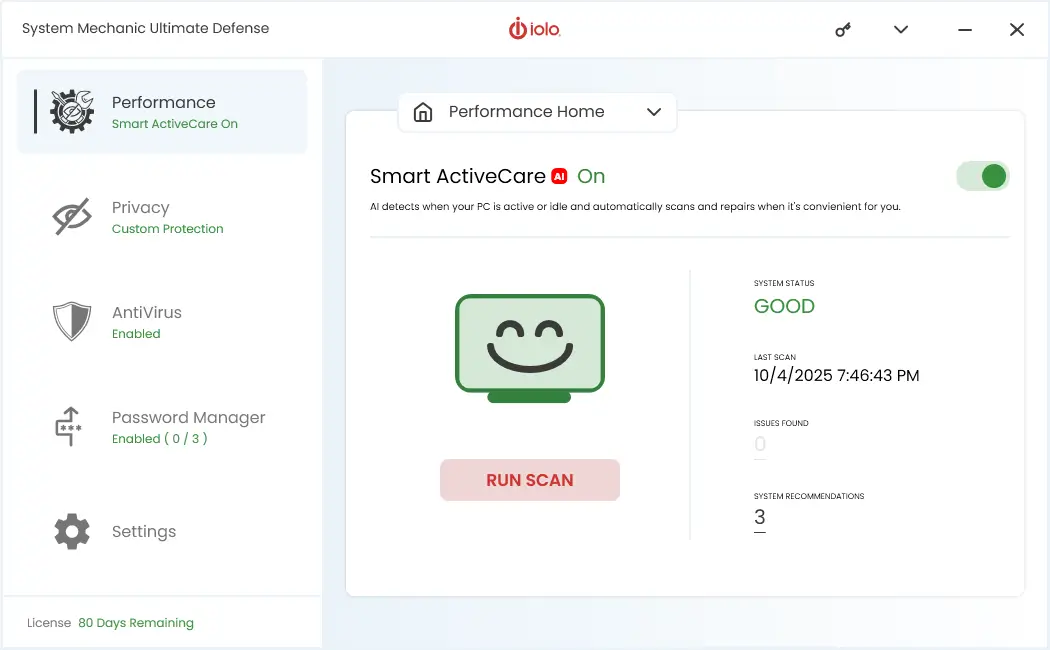
PC Security, Privacy and Optimization – Provided by System Mechanic Ultimate Defense – All in One Package
Modern PCs are expected to do more than ever — run fast, stay secure, and protect personal data at all times. Unfortunately, performance, security, and privacy issues often develop quietly in the background. A system can feel slower, become more vulnerable to threats, or expose sensitive information without obvious warning signs.
Why Security, Privacy, and Performance Are Connected
Security, privacy, and performance are often treated as separate concerns, but in reality, they’re closely linked. Malware, outdated software, and unnecessary background processes can slow your PC while also creating security risks. At the same time, invasive tracking, unsecured connections, and poorly configured settings can compromise privacy without noticeably affecting speed — until bigger problems appear.
Optimizing your PC means more than just cleaning up files or speeding up startup times. It also involves reducing attack surfaces, limiting unnecessary data collection, and keeping system components healthy and up to date. When these areas are addressed together, your PC becomes faster, more stable, and better protected.
In the sections below, we’ll explore how security, privacy, and optimization work together — and what steps you can take to improve all three without sacrificing usability.
Security
It seems almost every month we hear about a new data breach or cyber attack. The personal information of some 500 million Marriott guests, including credit card numbers and expiry dates, was stolen by hackers in 2018. The WannaCry ransomware attack of 2017 infected 300,000 computers, resulting in up to $4 billion in financial losses.
Types of Security Threats
As hackers become increasingly sophisticated in their attacks, it can be helpful to know what to look out for. The most common types of cybersecurity threats are:
- Computer viruses: sometimes included in free software or maliciously installed, once activated viruses alter the way a computer operates. As well as corrupting your system viruses can also record keystrokes, steal passwords, or replicate itself by spamming your contact list.
- Spyware: installed without your consent, spyware collects and sends personal information such as bank details and credit card numbers to an attacker. Spyware is generally broken down into four categories; Trojan spyware, adware, tracking cookies, and system monitors.
- Phishing: using spam, scammers steal login information by tricking users into entering their account details into fake websites. As these emails and websites can look surprisingly real, many people fall victim to phishing attacks every year.
- Hackers: possibly the most serious cybersecurity threat, hackers break into systems with the intention of doing harm. From stealing your identity to real-life stalking, hackers can pose a serious physical threat.
Security Solutions
To protect the security of your computer it’s important you have software that can stand up to complicated attacks.
While most anti-malware software can identify threats, few are able to remove them. That’s why it’s important to choose a solution with a built-in malware killer.
To help keep your passwords and online purchases safe, you also need a password manager tool like ByePass+. By encrypting and storing your passwords and credit card numbers locally, it prevents hackers from stealing the information. ByePass+ can generate uncrackable passwords and even allows you to remotely log out of websites from wherever you are.
Privacy
Protecting your privacy online can sometimes feel like a losing battle. Just visiting a website these days will all but ensure a tracking cookie is deposited on your computer. And with the use of browser fingerprinting, companies can extract a huge amount of personal data right from your browser.
Have you ever experienced that weird feeling where you’re looking online for something, and in a completely unrelated tab an ad for that product appears? It might make you feel like you’re being watched, and in some ways you actually are. The data collected by cookies and fingerprinting helps create a profile which is then used to create personalized marketing.
Privacy Guardian interrupts fingerprinting scripts and blocks anyone from seeing your online activities, including searches, videos watched, and websites visited. It defends against the latest types of online tracking, protecting you from targeted ads, identity theft, and invasion of privacy.
Optimization
With the sheer volume of data being processed by computers, it’s no wonder they can slow down from time to time. With regular use your computer builds up unnecessary files, fragmenting the hard drive and slowing down performance. Should your computer become infected with malware, the drain on resources can be so overwhelming it can cause your system to crash.
Optimizing your computer is one of the best ways you can speed up your system so it runs like new. One tool that can do this is System Mechanic, the backbone of the System Mechanic Ultimate Defense suite. An award-winning performance solution, it effectively tunes internet, processor, hard drive, and memory settings for maximum speed and performance.
Building a Safer, Faster, and More Reliable PC
Maintaining a healthy PC requires a balanced approach. Focusing only on speed while ignoring security can leave your system exposed, while prioritizing protection without optimization can lead to unnecessary slowdowns. Addressing both ensures your computer remains responsive and resilient over time.
By developing good habits — such as keeping software updated, managing startup programs, using trusted security tools, and monitoring privacy settings — you can reduce risks while improving everyday performance. When security, privacy, and optimization are treated as part of the same strategy, your PC is better equipped to handle both current demands and future challenges.
For users who want a more comprehensive approach, solutions like System Mechanic Ultimate Defense combine performance optimization, security protection, and privacy tools in a single package. Built around iolo’s System Mechanic, it helps keep your system fast while also defending against online threats and invasive tracking — without requiring advanced technical knowledge.